General ledger report
The General Ledger report page allows you to create reports of financial activities of companies in the group.
To access the General Ledger report page, click  Reports > Standard Reports > General Ledger.
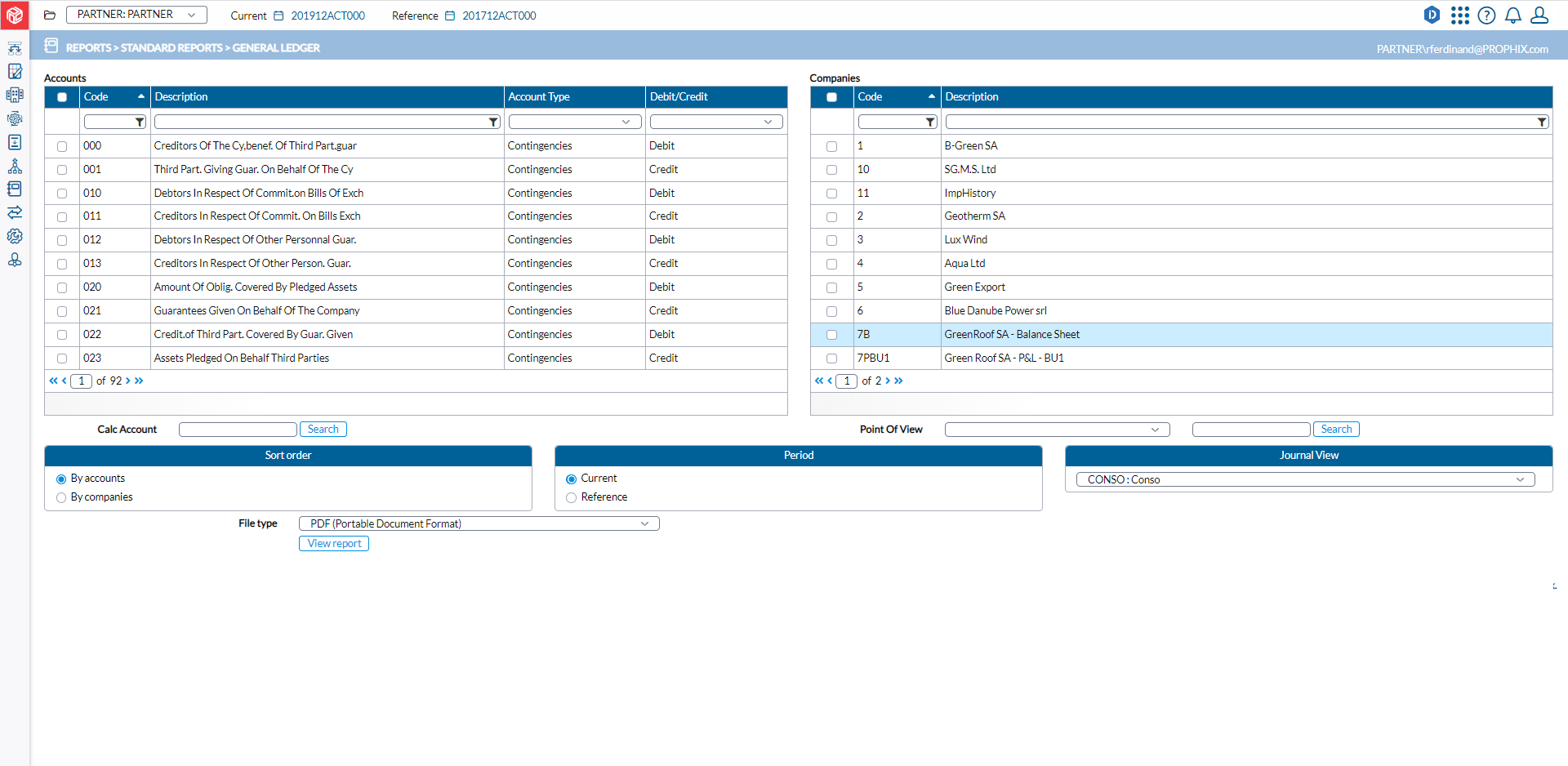
The left-side panel displays the Accounts you can include in the report and their
-
Code and Description
-
Account Type
-
Debit/Credit
The right-side panel displays the Companies you can include in your report, including their Code and Description
Generate a general ledger report
-
From the Accounts list, select the account code(s).
Note: You can narrow down the list of accounts by filtering on Type and /or Debit /Credit, or by filtering on Account Code and /or Name.
-
From the Companies list, select the companies you want on the report.
Note: You can select one or more companies.
-
In the Calc Account field enter the calculated account or click
 to find a calculated account to include on the report.
 -
From the Point of View drop-down, choose a point of view (the dimension setting that will control the data displayed in the report) and then, click
to select a Point of View detail. -
For Sort Order, specify how you want the report to be arranged either
 or
or  .
. -
For Period, select either
 or
or  .
. -
From the Journal View drop-down, choose a view.
-
In the File type field, select the output file type. Options include PDF, XLS, and XLSX.
-
Click
 to generate the report. After the report is generated, a download link appears below for you to click and view it in the file type selected.